

|
FireLogic Blog
Insights, tutorials, and other interesting information for our customers. Enjoy!
|
|
|
posted Feb 3, 2012 9:38 AM by Derrick Wlodarz
[
updated Feb 3, 2012 9:38 AM
]
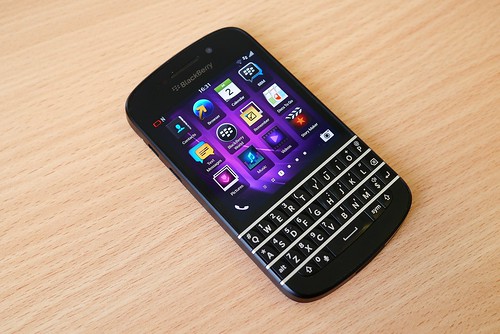
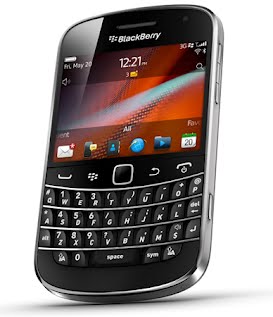
A dirty little secret that many people don't know about is a technology called Unlicensed Mobile Access, or UMA, that is offered almost universally on Blackberry phones that support WiFi. OK, let me qualify that statement by saying that the capability for UMA must also be supported by your cell provider. In short, UMA allows you to use standard wireless (WiFi) connections to make & receive calls, send/receive texts, send/receive emails, use BBM, and also use the web. Why is this such a cool feature? Not only does it give you coverage in areas that are otherwise dead zones, it saves on cell minutes. That's money back in your pocket.
What do you need to get UMA working for your Blackberry? Here's a shortlist of the ins and outs of UMA on Blackberry: - First, you need a provider that support UMA. Only a scattering of providers allow you to use UMA. In the United States, the largest one is TMobile. If you happen to live in the Cincinnati, Ohio area then you also have the option of using Cincinnati Bell Wireless. For our Canadian friends, you can use Rogers or Fido. I personally use Tmobile and have been very happy with it in the Park Ridge, IL area. The coverage may not be as expansive when I travel to rural parts of the state to visit clients, but for the most part, the Chicago and suburban areas are very well covered by the provider. Your results may vary, but I think it's worth a look.
- Second, you need a Blackberry that supports WiFi (and UMA in turn). Research in Motion has posted a nice list of WiFi capable Blackberries currently on the market which you can reference. I personally use a Bold 9780 which works extremely well, but the newer 9900 model (and many others) are also on the list. Be mindful that just because a model supports WiFi, it doesn't necessarily translate into TMobile or your carrier of choice supporting the phone. If you are planning on buying a used model phone, or getting one as a hand me down, call Tmobile in advance to ensure that they currently support that phone on their network. The largest roadblock to a model being allowed on their network is what bands of 2G and 3G it supports - and this varies between models of Blackberry.
- Third, ensure you ask your provider to enable UMA calling on your plan. At least for TMobile, you need to make an effort to call them and ask that UMA calling be turned on for your plan. It's painless and easy, but can be overlooked if you are new to the game. Once this is turned on, UMA calls will show as free minutes when you make or receive calls on the network when in a wireless hotspot.
- A few caveats still exist even with all of the above in place. While you have full control over your wireless box at home, note that some public hotspots (namely ones that require pre-login before you can browse the web on their network) will block UMA capability. There are a few technical details that most home wireless routers already have turned on and open for UMA to work properly; for security reasons, some public places decide to restrict this capability. Your Blackberry will also try to auto-test the connection it is on to see if the internet speed is fast enough to support UMA properly. You'll know at any time whether your wifi hotspot allows for UMA by checking for this icon on your phone's upper right hand corner:
Is UMA perfect? No - but what kind of connection on your cell phone is stellar to begin with? Compared to traditional 3G or 4G, I find the call quality to be better over a sufficiently fast connection (3Mbps or faster) and you do not have to worry about drops around every corner. Keep in mind that your home or office wireless coverage will play a part in this as well, and if your phone determines that coverage on WiFi has degraded past a certain point, it will decide to jump back onto the cell carrier's network on a whim. Most times this transfer works flawlessly; other times, it doesn't. UMA is a different kind of beast that when setup properly is a nice way to save money on your phone bill.
If you want to learn more about using UMA on your Blackberry, feel free to check out Research in Motion's website. Not all cell carrier associates are knowledgeable on the service since it is not widely advertised, but you should be able to reach someone who can tell you more about it at either Tmobile or Cincinnati Bell. Our team at FireLogic has good experience in helping customers with UMA on the Blackberry so feel free to reach out to us if you want assistance in getting this running for your personal (or business) cell phone needs. |
posted Feb 2, 2012 5:44 PM by Derrick Wlodarz
[
updated Feb 2, 2012 5:45 PM
]
Fake security products have been the bane of the nastiest malware on both Windows and MAC systems for about the last 3 years or so. Some of these fake programs intend to mask themselves as being the true Windows Security Center, while others try to mock Windows Defender. The trend has become so troubling that Microsoft recently blogged at length about the topic and how to spot the fakes. At FireLogic, we do our best to educate customers on legitimate software and how to spot fakes. Well, in light of Microsoft's blog post, we're going to go one step further and flesh out this topic for our customers. - Be aware of how the fake products tend to look. Microsoft provided some great screenshots on its blog post. Look at the characteristics they have in common. The products tend to try and mock the layout and look of genuine Microsoft security products (or other vendors' programs), usually try to stamp the name of Microsoft in as many places as they can, and utilize logos and icons that are scary close to the real thing. But if you look closely, you'll always notice that they are off in either graphic design or spelling. This should be a dead giveaway.
- The fake products almost ALWAYS try to scare you into doing some sort of action. The worst offenders ask for a credit card right off the bat. Some of them may warn you that you have xx number of errors on your PC and the only way to fix them is to download this product or that fake addon. You catch the drift here: they want you to DO something immediately, and generally try and manipulate control of your machine. Sometimes you are not given access to your personal files; at times, they will lock down your entire desktop until you do something they ask for. DO NOT perform the actions they are telling you to do and reach out for help - contact FireLogic for some professional assistance. If a program is consistently nagging you on your machine, you have likely already been infected.
- Microsoft's most popular security offerings are always free of charge. While we do not recommend them as quality security products, Microsoft's own programs such as Windows Defender, Security Essentials, and Safety Scanner are always 100% free and do not cost a nickel. Any program claiming to be one of the above but is asking for payment is surely a fake and should be avoided. If you cannot get rid of the product on your own, please reach out to us for professional help.
- Microsoft and other security vendors will NEVER cold call you to discuss your computer. Some of the scammers out there have been using a technique along these lines as of late: they call you out of the blue, claim to be from Microsoft, and tell you a long story of how they have detected malware on your computer that needs attention. The catch is: they want payment before anything can be provided. As Microsoft said in its blog posting, they NEVER call out of the blue and neither does any other security vendor. It is always up to you to make the call if you want support. These scammers will never give you a legitimate name or outfit they work for, and it's best just to hang up and not buy into their story.
- Mac OS X users are at risk now too. The biggest culprit for the MAC OS X side of the computing world, MacDefender, comes in many flavors now. It has been widely reported on since mid last year, and we have helped numerous customers get their Mac computers cleaned off from this nasty. Do not think that using a MAC without antivirus protection is a good idea. While you are not at the same risk as Windows users, the risk does exist and is sizable enough to be of concern for you. We always recommend MAC users to purchase a valid subscription to ESET CyberSecurity for MAC in order to stay properly infected. There are no good free antivirus products available on the MAC which we can recommend.
- Most importantly: purchase a good antivirus program and keep it up-to-date. Sure you can opt for a free antivirus product like AntiVir (the only free product we recommend), but we would much rather you go with a solid paid product like NOD32. Eset, the manufacturer of NOD32, has received more Virus Bulletin 100 awards than any other paid or free product on the market. That means a lot in the anti-malware industry. NOD32 is available for Windows users as well as MAC users, and we have been recommending and providing this program for customers as our recommended solution for some time now. Don't spend the money on Norton or McAfee - go with the trusted name of NOD32.
We hope this information helps you stay informed and protected. For more information on malware prevention, feel free to visit Eset's Threat Center which has plenty of in-depth information on staying protected and well-informed. If you would like professional help in cleaning or protecting your home or office machines, contact us at FireLogic and we can give you an honest assessment for what you are up against. |
posted Jan 30, 2012 9:25 AM by Derrick Wlodarz
[
updated Jan 30, 2012 9:25 AM
]
After our monthlong effort to help Park Ridge residents get setup and running with their new Kindles and Nooks, we're proud to announce that we will be working with the Niles Public Library over the months of March through May in a similar push. The recent Xmas season brought an explosion of devices into the homes of Park Ridge and Niles patrons and we are excited to help out this new crowd of eager users with their e-readers.
Our last E-Reader Setup Day for the Park Ridge Library was on Saturday January 28th from 2-4pm. If you missed that day and are still looking for assistance, rest assured - we will be present at the next Open Help Desk session at the Park Ridge Library on February 11 from 9am to noon. Just be sure to bring yourself, your e-reader, and a smile and we will do our best to get you up and running!
As for Niles Library patrons, here is the schedule of E-Reader Fairs that we will be staffing in the upcoming months:
Saturday March 31, 2012 (1-4pm) Saturday April 21, 2012 (1-4pm) Saturday May 19, 2012 (1-4pm)
The location of the fairs are still TBD but there will be plenty of notice around the library on the day of the event. Visit the Niles Library website for more information or to contact their friendly staff for further details. See you there! |
posted Jan 30, 2012 8:57 AM by Derrick Wlodarz
[
updated Jan 30, 2012 9:00 AM
]
FireLogic is a mere two days away from its second birthday, and I've been reflecting on a lot lately. What we've done right, what we've floundered on, what we can improve on, and so forth. While we are always advocating how much small businesses can save by moving their systems to Google Apps, it's always nice to take an introspective look at the matter to see what our own company has saved by practicing what we preach.
Back in June 2010, I blogged about why I decided to take FireLogic the Google Apps route right from the start. The numbers and methodology I used back then were a tad different from what the official Google Apps savings calculator takes into account, but the general outline is similar. I plugged in my proper values for number of workers and our hourly rate of service, and Google came up with the following comparison chart. Mind you, they are contrasting Exchange 2007 to Google Apps and not Exchange 2010. I expect the numbers to be similar for both editions of Exchange.
How did I figure that FireLogic saved $4354 exactly? Well, I had to manipulate Google's estimates a bit. First I took their Annual Cost per employee figure for 3 years (which excluded labor - since we are an IT company after all) and divided it by 3 to get my per year cost per person. From there, I multiplied by 2 (# of years we have been in business) and then by the number of workers we have which is 7. After all the math, $4354 is the estimated savings.
Mind you, this is not a scientific study in cost savings. The above figures are based off of averages that Google has compiled based on companies that have already made the move from Exchange servers. If we truly tested this theory in a lab environment, the real findings may be higher or lower. For the sake of comparison, the Google Calculator is a good baseline for seeing where we stand and regardless of how spot-on accurate it is, $4000+ give or take a few is a lot of money any way you look at it.
Give the Gone Google calculator a try yourself and see what your company could be saving each year. The numbers may shock you. Curious about making the switch to Google Apps for Business? We've been helping businesses in Park Ridge and the surrounding suburbs of Chicago make the switch for a few years now. Contact us today and we can discuss your particular situation. |
posted Jan 28, 2012 7:54 PM by Derrick Wlodarz
[
updated Jan 28, 2012 7:54 PM
]
Two products we have become heavily invested in, both in customer demand and personal satisfaction regards, are Google Apps and the Chromebook laptops. Both products can most definitely be used separately of eachother to much positive effect. But together they happen to be an unstoppable force in providing an effective means as a classroom tool for providing quality instruction and a 21st century learning environment for students that are looking to become "netizens" of the current generation of citizens.
Some interesting news has come out of Google surrounding the increasing reach of both products. First and foremost, Google Apps has hit a truly stellar achievement: 61 of the top 100 Universities on the US News & World Report list of the best higher education institutions are officially using Google Apps. Google is even so proud of the news that they created a small page dedicated to a scattering of success stores from the various campuses of the 61 schools. Just a few of the big names on this list include Yale, Northwestern, University of Notre Dame, Rutgers, and many others. You can view a nice map outlining all of the higher ed institutions using Apps today on this neat page which overlays Google Maps.
On the K-12 front, Google is also making solid growth in a sector FireLogic has been steadily supporting with direct assistance over the past year. Google Chromebooks are continuing their expansion into the middle school and high school classroom, and Google's large presence at the FETC this year allowed them to expound on how far they have come with these intriguing devices. Our company helped one school district make the pivotal move to Chromebooks just last month in Buffalo, MO but there are many more making similar decisions on whether iPads or Chromebooks (or Kindles?) are the way to go for their 1:1 initiatives. We've been able to put our hands on many of the devices and still believe that Chromebooks are the best fit for providing a steady path for learning a traditional platform of computing while utilizing the power of the 21st century cloud product Google Apps.
Close to home, Google announced that Leyden High School District in Illinois is moving 3,500 students across two high schools to Chromebooks. Beyond that, Council Bluffs Community School District in Iowa is purchasing 2,000 Chromebooks for two high schools' worth of students and 1,500 Chromebooks for students in their two middle schools. Richland School District Two in South Carolina happens to be moving a whopping 19,000 students to Chromebooks in the near future. That's a LOT of kids getting Chromebooks!
Any way you look at it, Google Apps for Education and Chromebooks are becoming a larger staple in the educational community and for good reason. They make it easy to administer student learning and provide a common platform for expansive learning in the 21st century. If you're curious how either of these products can help your school district, feel free to contact us today and we can help plan out a potential migration to one or both of these exciting platforms for learning. |
posted Jan 28, 2012 7:22 PM by Derrick Wlodarz
[
updated Jan 28, 2012 7:27 PM
]
April 8, 2014 is the magical date. Windows XP will officially be considered "End of Life" on that day which means no more security patches, no more hotfixes, no more much of anything related to Windows XP. A lot of customers have been clamoring to the old OS for a while now, and we've gotten plenty of special requests to get it loaded onto brand new systems out of spite towards the new Windows Vista and Windows 7 ecosystems. While we could hold off the inevitable for only so long, the hatchet will be burying this walking deadman of an operating system in a very short period of time. The big questions still linger however. How does this affect the average consumer? Do you have to upgrade right away? I'll go through the most commonly asked questions passed my way as of late to cut through the confusion. - Q: What will happen on April 8, 2014?
A: Unlike the Y2K scare, this date is more of a formality than anything. When Microsoft considers a products End of Life, it basically tells the world that no more security updates will be released for the product unless they are considered so critical that they will affect a good portion of customers that still utilize the product. Post EOL, this rarely happens for products so I would not count on this as a true means of receiving updates for the OS once it reaches its expiration date. In plain terms, the OS will still function as normal, but you will be duly exposed to any new security threats that arise due to your continued usage of the product. Don't say Microsoft didn't warn you. Mind you, Windows XP came out in October 2001. We're talking 11 years already. - Q: How should I determine if I should upgrade or not?
A: This is not an easy decision to make. In general, we have been telling clients to stick by a few common rules of thumb. If your machine was produced.... Earlier than 2006: The cost to upgrade such an old machine would likely outstrip the functional value of keeping it for any extended period of time. Consider moving to a new machine within the next two years. Later than 2006: You are likely running Windows Vista or above, and probably have some good shelf life left in this unit. Stick with the OS you have, and you will likely be purchasing a new system with Windows 8 or later when it comes time to upgrade. - Q: My business runs on Windows XP. Should I be concerned?
A: I'm not one to start ringing the alarm too early, but the more important question that lingers is: should I be planning my upgrade path to Windows 7 (or later)? The answer to the second question is a definite YES, as businesses depend on solid and stable patched Windows system to uphold business viability and functionality more-so than consumer, home based systems. While there is never a guarantee that a hacker or naysayer would specifically target your business machines, the likewise holds true as well: they could very well take advantage of these holes to pull information, skim passwords, or cause otherwise undue havoc on operations that could have been avoided. While a slimmer but still present risk exists on any network running computers, this risk is definitely higher with Windows XP due to its age and relative old coding. - Q: My system(s) run(s) Windows XP and I DEFINITELY want to upgrade to Windows 7 before it's too late. How much will it cost and how long will it take?
A: This is not an easy question to answer, as every Windows XP machine has a different footprint that needs to be fully accounted for when an upgrade is being considered. However, in general, an upgrade of a Windows XP machine that has been in use for over 6 years already will likely run about 3-4 hours of labor. If you have an office of multiple machines that need upgrading, we would need to consider their hardware standing before making the leap to Windows 7 as moving an underpowered machine to a newer OS can sometimes be a mistake. You can view the minimum requirements of Windows 7 for yourself. - Q: Can I move to Windows 7 myself without the help of a company like FireLogic?
A: We always leave this option open for customers. While we do not advise it because it is a tougher upgrade to complete (when compared to Windows Vista to Windows 7), it is possible and can be done. The most popular piece of software that assists in the process is called PCMover from LapLink and many customers have had success with it. It's not a 100% guarantee of a successful move, but it's probably your best bet for a DIY migration from Windows XP to Windows 7 in one fowl swoop. For anything other than a simple, slim migration, don't hesitate to contact us for help and assistance in the move.
There you have it. The emails have been coming in over the past few months and I hope that the majority of concerns were summarized in this Q&A post. If you have singular or multiple systems that are questionable on being capable of being moved to Windows 7, feel free to contact us directly for assistance as we have been helping numerous clients make the transition to Windows 7 as of late. If we feel that you would be better off with new hardware altogether, we won't hesitate to be honest with you on your upgrade options. |
posted Jan 27, 2012 11:51 PM by Derrick Wlodarz
[
updated Jan 27, 2012 11:51 PM
]
Our company is proud to announce that we will be offering a fresh round of our popular Google Apps classes. This time, we are expanding our reach and teaming with the Niles Public Library for the first time in offering these training sessions. Our Apps classes at the Park Ridge Public Library last year were big hits and we are pleased that another local library is giving us a similar chance to help provide complimentary computer classes to the community.
While the classes were just formalized yesterday, we do have the general schedule that will be offered to the public. Look for your upcoming library newsletter to offer more information and signup procedures.
Google Gmail for Beginners Date: Saturday March 17, 2012 Time: 10am-12pm
Google Calendar for Beginners Date: Saturday April 28, 2012 Time: 10am-12pm
Google Docs for Beginners Date: Saturday May 12, 2012 Time: 10am-12pm
Google Sites for Beginners Date: Saturday June 16, 2012 Time: 10am-12pm
Feel free to view the official Niles Public Library calendar for more information, or reach out to the library over the phone at 847-663-1234. As usual, we will be recording the classes and providing them on our YouTube channel for future viewing. More details to come! |
posted Jan 27, 2012 11:30 PM by Derrick Wlodarz
[
updated Jan 27, 2012 11:31 PM
]
Many people may not be aware of this, but FireLogic is a very strong supporter of CompTIA, or more formally, the Computing Technology Industry Association. CompTIA is publicly known as the company behind the industry-standard A+ and Network+ exams, but the organization does a lot more than just create certification exams. You can read up on their drive to advance the technology industry as a whole, but they are also actively involved in lobbying Congress as well as providing worldwide philanthropy for IT professionals abroad.

I just spent the last week at CompTIA's Downer's Grove, IL campus providing direct assistance in helping revise one of their upcoming Network+ exams. It's always a refreshing experience to network with common-minded professionals to get insight on current trends, see what is happening in the sector at large, and gain excellent knowledge on topics at the core of the services we provide at FireLogic. The workshops that CompTIA hosts for chosen industry professionals is just one of the ways that they continue to advance the certifications which they offer to up and coming technology workers globally.
Why should any of this matter? Unlike other companies, I place a very strong emphasis on formal education for the people that work at FireLogic. The competition adores hiring the unskilled with no clear vision of giving them the training needed to operate as true technology workers. In order to serve clients properly, I feel directly compelled to offer my workers the best training that they can receive. Part of this process is proving the skills they have learned by certifying themselves in exams such as the A+ or Network+ tests offered by CompTIA.
If you are a customer of ours, rest assured that we are always striving to stay on top of the best training that can keep our techs skilled and abreast on the technologies you will be presenting them. I'm personally proud of my multiple certifications from CompTIA including competency in the A+, Network+, Server+, and Security+ tests. You can check on my formal participation with CompTIA on their Subject Matter Expert appreciation page.
If you're considering doing business with one of my competitors, feel free to press them on whether they staff CompTIA certified professionals. I doubt they will be able to give you a straight answer. |
posted Jan 17, 2012 10:59 PM by Derrick Wlodarz
[
updated Jan 24, 2012 8:58 PM
]
We've been busy the past few weeks helping out Park Ridge Public Library patrons get their new Kindles and other e-readerssetup. The Christmas season was busy with Santa delivering the new hot devices to more than a few residents' homes! No matter how great the Kindle may be as a reading device, it's useless without any great content. And when we say content, we mean books of course! There are many options for acquiring reading material on the Kindle.
The most convenient option for new content is the easiest one to access - the built in Kindle store, run by Amazon. There is a very large selection of content, mostly paid, that you can opt to purchase. There are magazine subscriptions available as well, with newspapers being offered too. You can also opt to rent material from the local library, and we've been helping local Park Ridge patrons get their devices working on the Library's Overdrive selection. This is the collective digital "library" that a scattering of north suburban libraries have worked together to build and offer to their respective patrons.
However, you can never beat free, and that is just what this next website provides. We stumbled across the Kindle Nation Daily blog just a short time ago and to our surprise, it offers a very concentrated and accurate listing of the daily free Kindle books that are released for consumption by Amazon. The number of titles released every day tends to range from 3 to 6 roughly, and there is always something for everyone. Amazon is not as public with pointing Kindle users to the free content, but Kindle Nation Daily is a great place to visit if you are itching for some quality free content through the Kindle store.
We tried to find the RSS feed for the website but it doesn't seem to offer one. However, if you are on your Kindle daily anyway, you may be interested in the official blog feed which costs $0.99 but is delivered directly onto your Kindle over Whispernet. That may be the easiest way to keep abreast on your new daily content.
If you are still interested in getting help with your Kindle or Nook device, FireLogic staff will be present at the Park Ridge Public Library's final E-Reader Setup Day on Jan 28, 2012 from 2-4pm. We will have numerous staff members onsite in the 3rd floor computer lab providing hands on assistance, and can answer any questions you may need tackled. See you there! |
posted Jan 12, 2012 8:36 AM by Derrick Wlodarz
[
updated Jan 12, 2012 8:36 AM
]
A lot of customers have been hearing the buzz about Windows 8 and are asking us "what does this means for me?" It's a tough question to answer with excellent accuracy since 1) Windows 8 is not yet released 2) Windows 8 is not in finished form yet and 3) Windows 8 may change greatly before it hits store shelves. However, there are some things that we can say in general about the launch of this new operating system no matter what nitty-gritty details end up inside the box.
 - If you have a computer already loaded with Windows Vista or Windows XP, planning on upgrading to Windows 7 is not ideal or practical. This sort of PC is already likely 3+ years old and utilizes antiquated hardware and software. Stick out the life of the PC and wait until your next machine which will come with Windows 8 out of the box.
- If you have a Windows 7 PC purchased in the last year or so, you may be an ideal candidate for a clean Windows 8 upgrade. Microsoft has publicly said that any PC running Windows 7 today is ready for Windows 8 tomorrow. While this is probably true in most senses, there may be some customers which moved PCs that were not quite ideal for Windows 7 over to the software upgrade, and may believe that Windows 8 is their next step. Outside of these scenarios, Windows 8 should be fully capable for the majority of OEM computers on store shelves.
- Windows 8 is going to radically change the way we interface with our computers. If you are not prepared for this, don't worry, as the "classic" Windows look will be available for business and other users accustomed to the traditional look. But Microsoft is pushing the new Metro interface heavily to bring Windows on par with their mobile phone look and feel. While this may be a natural change seeing how Apple is pushing this common interface, many Windows users may not be ready for this radical new layout. We will be keeping watch to see the progression on this.
- Like Windows 7, Windows 8 will be even easier to use. Windows 7 really opened the door to Apple-ease in terms of how we work with our machines. The next iteration of Microsoft's operating system will do similar, taking many new ideas to the next level for 8. Expect to see easier system recovery for corrupted installations, better file management, and other things directly related to the user experience.
- Security, as usual, will be of utmost priority. It has already been stated that Windows 7 is more secure than MAC OS X. But Microsoft will not be sitting on its heels for Windows 8. A rumored new file system will likely be present in the new upgrade, as well as other enhancements for the key areas of Windows that see the mot virus and spyware penetration in recent years.
- There is no solid release date, but the latest rumors are calling for a Fall 2012 launch. Tech news website The Verge just recently stated that Microsoft continues to hint at an Oct 2012 release. Only time will tell, however.
If you are someone interested in keeping up with the latest Windows 8 news, Microsoft has already devoted a website to the latest Windows 8 news from the company. FireLogic will be continuously watching the progression of Windows 8 and will be advising customers appropriately on the new OS. |
|